Verbatim AI transcription of focus groups with multi-speaker labels for qualitative research
Get accurate group interview transcripts with automatic AI speaker labeling. Compliant with the GDPR and research ethics requirements.
RiverScript handles the routine work while you analyze the data
RiverScript is European AI transcription software from Finland that converts focus group research into verbatim word-for-word text transcript. It transcribes audio and video recordings of group interviews in hundreds of file formats, up to 50 GB and 8 hours long. RiverScript also supports bulk transcription, so you can transcribe dozens of recordings at once.
Multi-speaker transcription
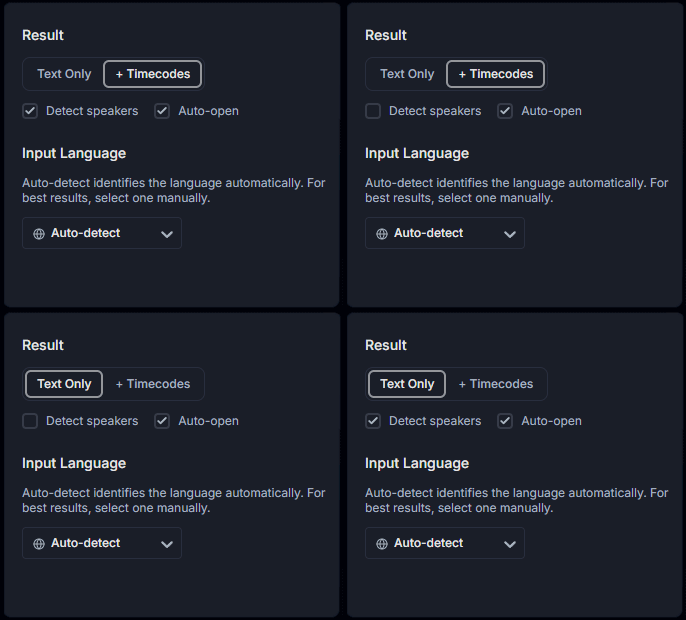
The app turns your recordings into publication-ready material: accurate text with correct grammar and punctuation. It can also identify what different respondents said and label their remarks automatically. The app returns both formatted text suitable for publication and subtitles with timecodes, if you select that option in the menu before transcribing. RiverScript also supports speaker diarization, which you can enable in the menu.
*Please note that the Detect Speakers feature is available only to Premium plan users.
No false matches
RiverScript AI Sync Models recognize complex terminology and formulas without false matches or loss of meaning by using algorithms that filter the audio before transcription and the transcript after the AI model returns it. This makes routine work easier for researchers studying medicine, the exact sciences, law, and business. You can also transcribe not only focus group interviews, but individual in-depth interviews as well.
The software is available for both Mac and Windows on the download page.
AI transcription and research ethics
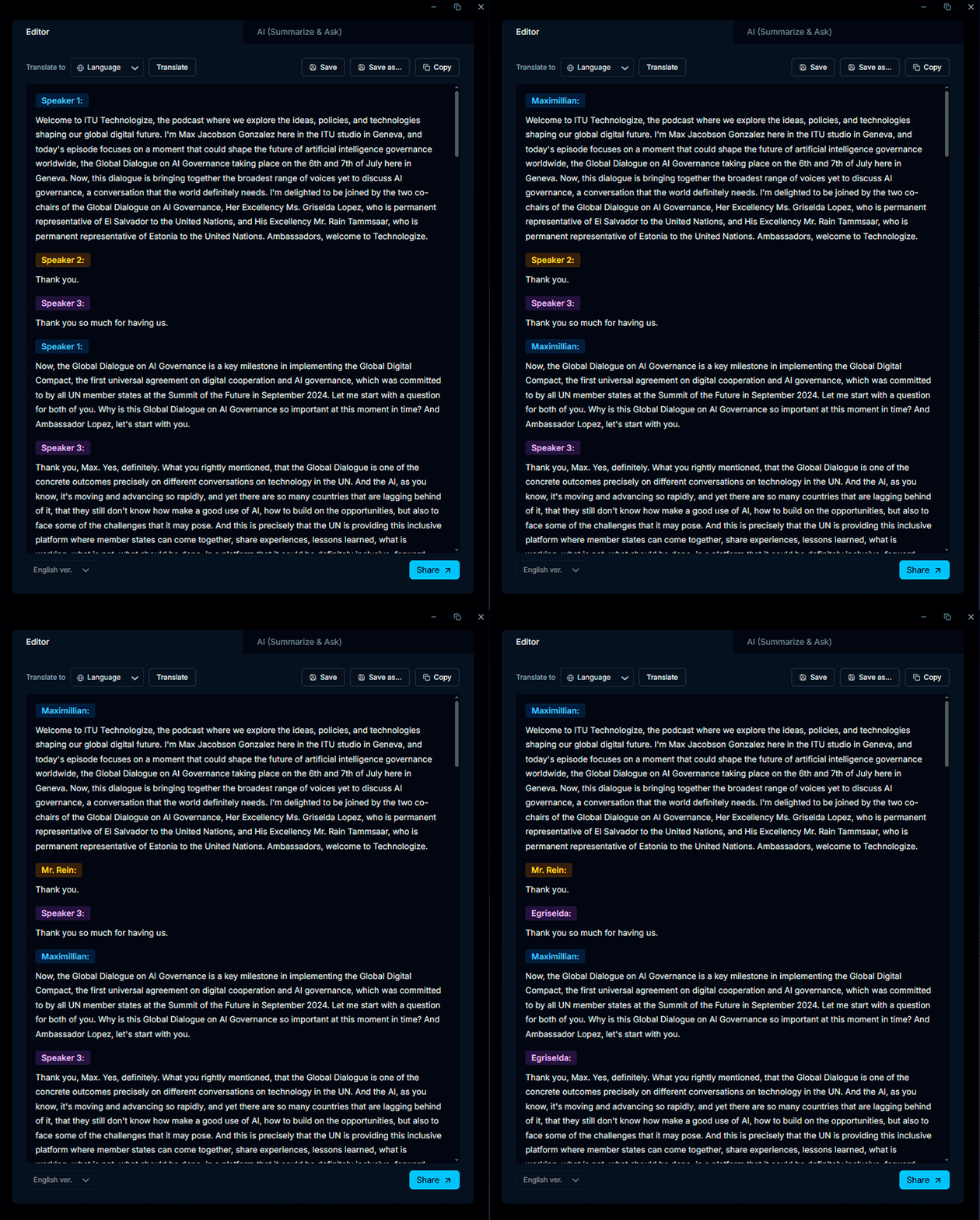
When transcription is complete, you can rename each focus group participant with one click. For example, you can name them Moderator, Respondent 4 (Male), Respondent 8, and so on. To do this, click a label from a particular respondent, then give that respondent a new name. All their other labels will be renamed automatically. This lets you anonymize your research participants.
If you need a legal document to have your research application approved, you can get one to submit to your university here: RiverScript Research Ethics.
AI Research Assistant
With the RiverScript AI feature Summarize & Ask, you can ask AI Research Assistant a question, for example, to quickly check a hypothesis: “Did any of the experts mention issue X? If so, in what context?” You can also get a brief summary of an entire qualitative research lasting many hours with one click, along with clickable key moments for listening to specific parts of the audio.
Export to your ecosystem
You can download the transcript in various text formats, including PDF and DOCX, or copy the text as Markdown into software for writing dissertations and PhD theses as an Appendix chapter, then format the transcript according to your university’s academic standards.
Please note that no AI can replace a researcher’s observations of group dynamics. RiverScript cannot act as an eyewitness recording the behavior of focus group participants, nor does it identify their individual characteristics or emotions.
If you first want to learn how to install the RiverScript app and record system audio for transcription, we recommend reading the separate guides for Windows and Mac.
F.A.Q.
Transcribe qualitative research with the best AI transcription models on the market
RiverScript will handle your routine tasks