Transcribe Spotify & Apple Podcasts into text and get AI summaries
Extract text from a podcast and save time creating notes, quotes, or lists or lists of key points and resources
AI workflow for transcribing and working with podcasts
Even some of the most advanced platforms, such as Spotify and Apple Podcasts, may provide a built-in transcript of an episode, while RiverScript Desktop client is designed to save you time when working with podcasts. Because it is an AI workflow that can extract audio from any podcast by recording your computer's internal audio and convert it into a high-quality transcript – from any website, browser, or platform. It can also translate podcasts into 100 languages.
The RiverScript AI app gives you not only a readable transcript with correct grammar and punctuation, but also tools for working with the podcast’s content through its transcript. For example, you can search for specific details mentioned in the podcast, generate notes, or turn it into a blog post. You can download the software from the download page.
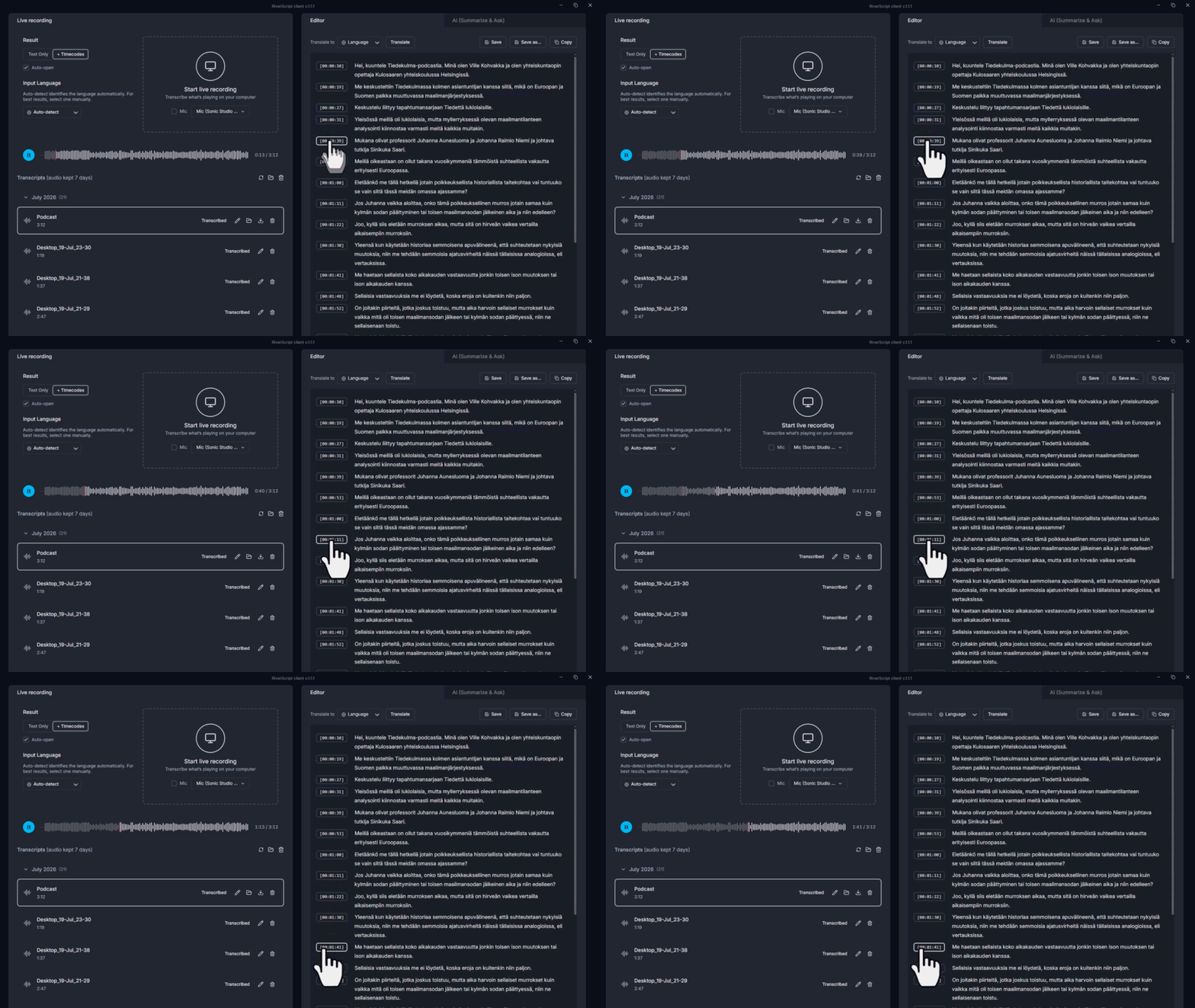
RiverScript can generate a podcast transcript with timestamps and automatically detect different speakers and label them by name. Everything appears in the editor, where you can edit or delete text and rename speakers. You can also click a timestamp in the editor to jump directly to the corresponding point in the audio.
Please note that the Detect Speakers option is available only to Premium plan users.
If you want to save a transcript from Twitch, SoundCloud, Spotify, or Apple Podcasts to your computer without downloading the audio file, you can simply record and transcribe it for free using Live Recording Transcription. See our step-by-step guides on how to transcribe system audio on Windows and Mac.
AI chat for quick fact-checking and finding information
Ask AI chat about quotes and mentions
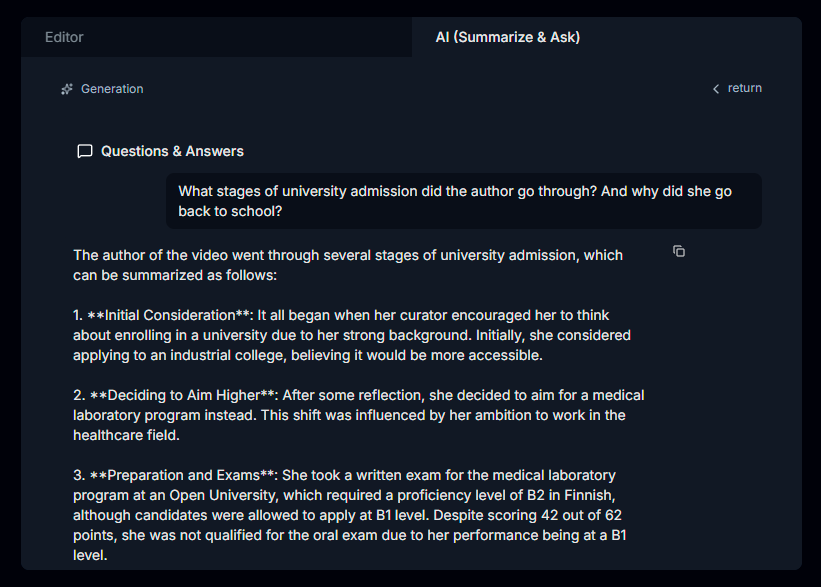
With Summarize & Ask AI feature, you can quickly find specific types of information mentioned in the audio. You simply need to ask AI about the transcript. For example, AI chat can list all links and resources mentioned in a podcast or extract book recommendations shared by a guest. It can tell you who the speakers discussed and what they said about them. Ask AI to collect key takeaways, identify specific trends, or find quotes in the podcast – it will find them whenever that information appears in the audio.
Summarize a podcast
The Summarize & Ask AI feature automatically generates an executive summary, even if the podcast is 3 hours long. This helps you decide whether the podcast is worth listening to and whether it contains the ideas you are looking for. Before requesting a summary, select your preferred language.
Search key moments
When you request a summary, AI also generates clickable timestamps. Each timestamp includes a short description of the topic discussed at that moment, dividing the podcast into sections by topic and time. This is useful when you need to find a specific part of the podcast. Simply click a timestamp to jump directly to that part of the audio.
Repurpose a podcast into a blog post
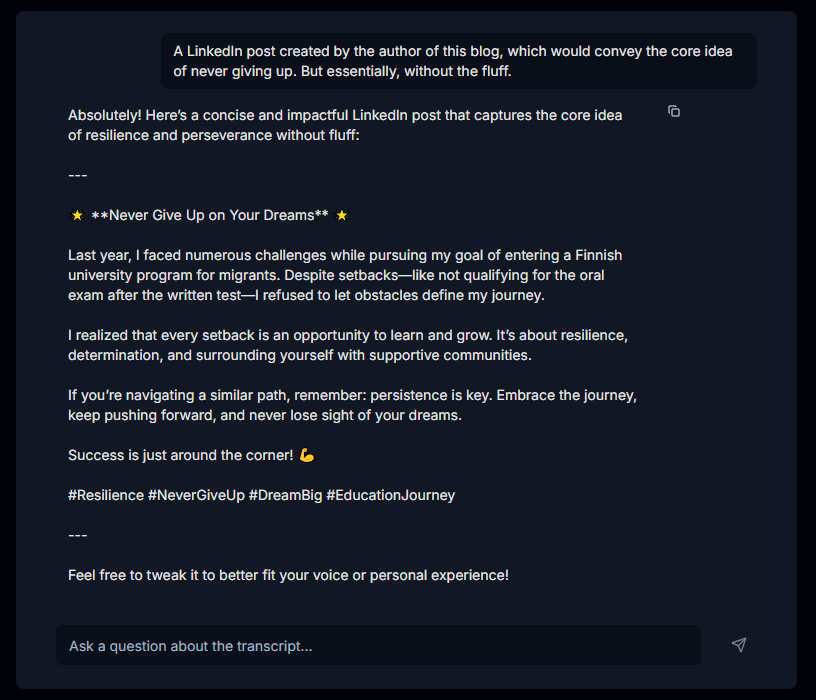
You can turn a podcast episode into a social media post or a blog post for your website. Simply tell AI chat what kind of post you want and which idea it should use from the podcast. You can give it any other instructions you need, and it will generate the post for you.
Share transcripts with others
Once you have found the information you need and made your edits, you can share the transcript with your team or a friend. Only people with the link can view it. You can also copy the text directly from the editor or download it as a PDF, DOCX, or TXT file. If the transcript includes timestamps, you can also export it in SRT or VTT format. Enjoy discussing the podcast!
F.A.Q.
Turn podcasts from any app into notes, quotes, or blog posts
Install RiverScript Desktop client. Transcribe and summarize podcast audio